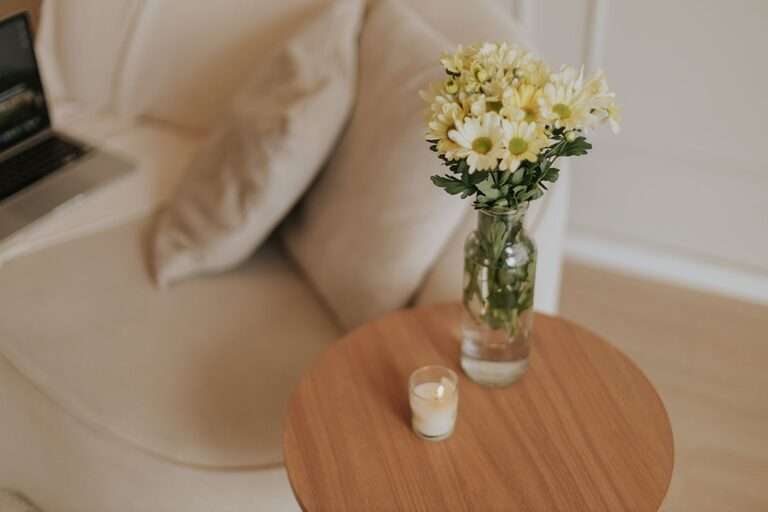
Creating a home office that is both cozy and functional can make a big difference in your productivity and overall well-being. Whether you have a dedicated room or a small corner, designing a workspace that suits your needs will help you stay focused, reduce stress, and enjoy your workday more. Here are some helpful tips to create a home office that feels inviting and works efficiently.
Choose the Right Location
The first step in setting up your home office is selecting the best spot. Consider these factors:
– Natural Light: Try to choose a space near a window to benefit from natural daylight, which can boost your mood and energy.
– Quiet Area: Find a location away from household noise and distractions, where you can concentrate.
– Space Size: Ensure there is enough room for your desk, chair, and any essential equipment without feeling cramped.
If space is limited, a nook in your living room or bedroom can work, as long as you can separate it visually or with screens.
Invest in Comfortable Furniture
Comfort is key when working for long periods. Focus on ergonomic furniture:
– Desk: Choose a desk with enough surface area for your computer, paperwork, and accessories. Adjustable desks can add flexibility for sitting and standing.
– Chair: An ergonomic chair with lumbar support will protect your back and improve posture.
– Storage: Include shelves, drawers, or filing cabinets to keep your workspace clutter-free and organized.
Remember, comfort not only helps you physically but also encourages you to spend your working hours productively.
Optimize Lighting
Adequate lighting reduces eye strain and creates a welcoming atmosphere.
– Natural Light: Maximize daylight by keeping windows unobstructed and using light-colored curtains or blinds.
– Task Lighting: Use a desk lamp with adjustable brightness to focus light where it’s needed most.
– Ambient Lighting: Consider soft overhead lighting or floor lamps to reduce harsh shadows.
Combining various light sources creates a balanced and comfortable environment.
Keep Your Workspace Organized
An organized workspace helps minimize distractions and saves time.
– Declutter Regularly: Remove unnecessary items and keep only what you need daily.
– Use Organizers: Desk trays, pen holders, and cable organizers keep things tidy.
– Digital Organization: Create folders and backups for your digital files to complement your physical order.
A neat environment helps promote clarity and focus.
Personalize Your Space
Adding personal touches makes your office feel cozy and welcoming.
– Decor: Use artwork, plants, or photos that inspire you.
– Color Scheme: Choose calming colors like soft blues, greens, or neutrals for walls and accessories.
– Comfort Items: Keep a cozy blanket or cushion nearby for extra comfort.
Personalization helps reduce stress making your office a place you enjoy spending time.
Minimize Distractions
To stay productive, limit disruptions as much as possible.
– Noise Control: Use noise-canceling headphones or white noise machines if you can’t control background sounds.
– Technology: Silence notifications and designate times for checking emails and messages.
– Boundaries: Communicate with others in your household about your working hours and the importance of minimizing interruptions.
A focused environment makes your work more efficient and less stressful.
Utilize Smart Storage Solutions
Maximize space and functionality with smart storage ideas.
– Vertical Storage: Use wall-mounted shelves or pegboards to free up desk space.
– Multi-functional Furniture: Consider desks with built-in storage or filing cabinets that double as seating.
– Labeling: Clearly label storage bins and drawers for easy access.
Good storage keeps your office tidy and your tools at your fingertips.
Maintain Good Air Quality and Temperature
Your comfort depends on a healthy environment.
– Ventilation: Open windows when possible or use an air purifier.
– Plants: Indoor plants can improve air quality and add a touch of nature.
– Temperature Control: Use fans, heaters, or humidifiers to keep the room comfortable year-round.
A pleasant environment keeps you alert and comfortable during work hours.
Set Up Technology Efficiently
Reliable technology is essential for a smooth workflow.
– Internet: Ensure you have a strong and stable internet connection.
– Equipment: Invest in good-quality monitors, keyboards, and headsets as needed.
– Cable Management: Use clips and ties to organize cords and maintain a clean setup.
An efficient setup minimizes frustration and supports your daily tasks.
—
Creating a home office that is cozy and functional doesn’t have to be complicated. By carefully considering location, furniture, lighting, and organization, you can design a space that supports your work style and enhances your comfort. Remember to personalize it to reflect your taste and needs—it’s your workspace, so make it one you look forward to using every day!